1. What is Pandas?
Pandas is a Python library used for data analysis and manipulation.
👉 In simple terms:
Pandas = Excel inside Python (but more powerful)
2. Why Learn Pandas?
Pandas helps you:
- Work with large datasets
- Clean messy data
- Analyze information quickly
- Perform calculations easily
- Prepare data for reports or visualization
3. Installing Pandas
First install Pandas:
pip install pandas
Then import it:
import pandas as pd
👉 pd is just a shortcut name.
4. Key Data Structures in Pandas
a. Series (1D Data)
import pandas as pd

data = pd.Series([10, 20, 30])
print(data)
👉 Like a single column in Excel.
b. DataFrame (2D Data)
data = {
    "Name": ["John", "Mary"],
    "Age": [25, 30]
}

df = pd.DataFrame(data)
print(df)
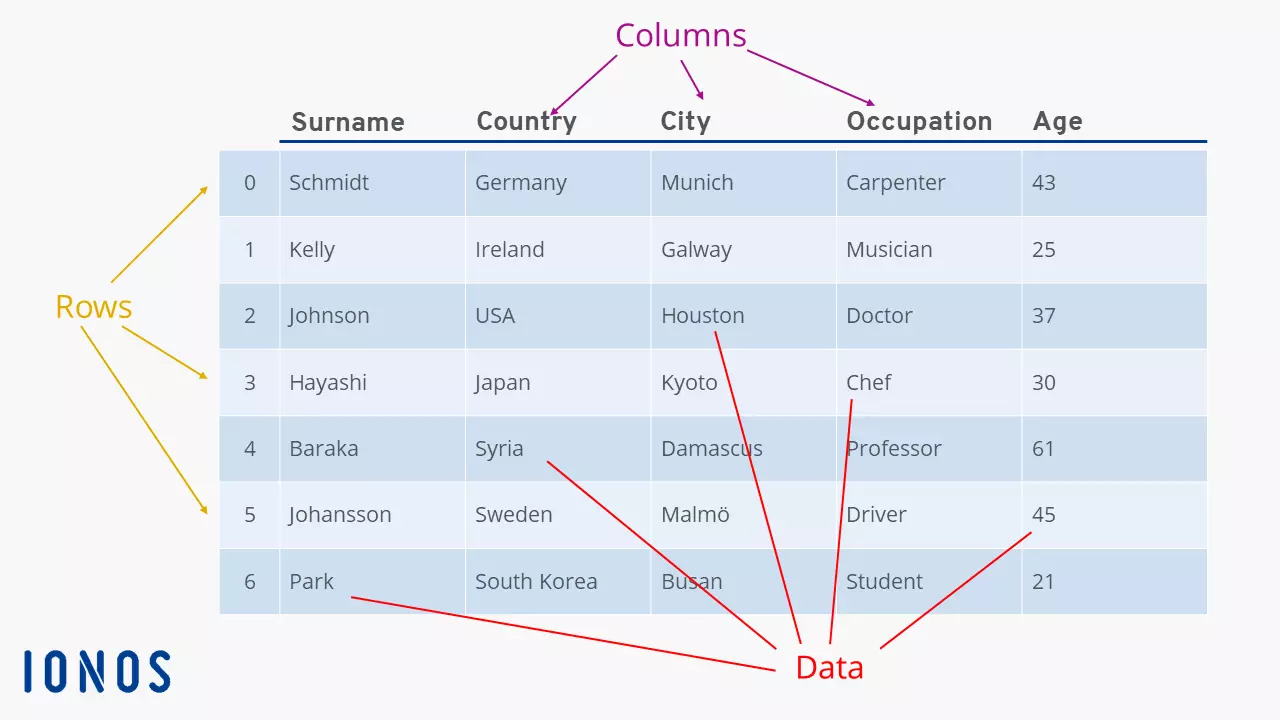
👉 Like a table (rows and columns).
5. What a DataFrame Looks Like
6. Reading Data (CSV File)
df = pd.read_csv("data.csv")
print(df)
👉 Loads data from a file (like Excel).
7. Viewing Data
df.head()   # First 5 rows
df.tail()   # Last 5 rows
df.info()   # Structure of data
df.describe()  # Statistics
8. Selecting Data
Select a Column
df["Name"]
Select Multiple Columns
df[["Name", "Age"]]
9. Filtering Data
df[df["Age"] > 25]
👉 Shows only rows where age is greater than 25.
10. Adding a New Column
df["Salary"] = [50000, 60000]
11. Basic Operations
df["Age"].mean()   # Average
df["Age"].max()    # Maximum
df["Age"].min()    # Minimum
12. Handling Missing Data
df.isnull()        # Check missing values
df.dropna()        # Remove missing values
df.fillna(0)       # Replace missing values
13. Sorting Data
df.sort_values("Age")
14. Real-Life Uses of Pandas
Students can use Pandas for:
- Analyzing Excel data
- Business reports
- Financial tracking
- Student result analysis
- Research and projects
15. Simple Practical Example
import pandas as pd

data = {
    "Name": ["Alice", "Bob", "Charlie"],
    "Score": [80, 90, 75]
}

df = pd.DataFrame(data)

# Show students who scored above 80
result = df[df["Score"] > 80]

print(result)
16. Pandas vs Excel
| Feature | Excel | Pandas |
|---|---|---|
| Ease of use | Easy | Requires coding |
| Large data | Limited | Handles large data |
| Automation | Limited | Very powerful |
| Speed | Moderate | Fast |
17. Simple Summary
👉 Pandas is:
- A tool for working with data
- Like Excel but more powerful
- Essential for data analysis
Power Teaching Line (for your class)
👉 “If Excel helps you see data, Pandas helps you understand and control it at scale.”


No comments:
Post a Comment